Other
Chào mình là hiếu.
Mình đã thực hiện một thử thách do bảng thân đề ra là tập làm 1 con game với phần mềm làm game nổi tiếng là godot dù là mình chưa hề biết rõ gì về nó.
Mình đã thực hiện thử thách này trong vòng 2 tuần.
Hi vọng là các bạn thấy những chia sẽ của mình thú vị và có ích.
Link Game: hieu-dev.itch.io/hip-s-godot
Music:
Final Girl - Jeremy Blake.
8_Bit_Select_Fast_Fun_Chiptune_G
Upbeat Event Travel by Infraction [No Copyright Music] - Good Vibe
TDD and game creation don't always go hand in hand, but when they do it can make iterating on your game faster with less bugs. Regardless of your experience with TDD, programming or game development there will be something in this talk for you. We'll cover the basics of TDD, discuss the obvious aspects of a game to write tests for, and more involved examples of integration testing.
Examples will all be using Godot/GDScript/GUT (since I'm the author of the latter and that's what it works with), but most of the talk will apply to any testing framework, language or engine.
---
Butch Wesley: Programmer, comedian, TDD doer, author of GUT.

Subscribe, lov u :')
In this video, I use godot 4 to make my own angry bird. With a lot of bugs, with broken physics. To show to process and physics behind Godot 4.4 2D Game Development as a beginner.
Disclaimer:
This video is for entertainment purposes only. All characters and assets belong to their respective owners. I do not claim ownership of any IP. This project is private and not distributed in any way. Just having fun learning and experimenting with game development.
🛠 Tools Used :
- Godot 4.4
🌐 Follow Me :
Website – https://voidcord.com
X (Twitter) – https://x.com/voidcord54
Timestamps:
0:00 Making
3:50 Game play
#angrybirds #godot4 #gamedev #comedy

In this introduction to 3D Godot tutorial video for beginners I go through the process of recreating the most basic Minecraft functionality in the Godot game engine. We learn how to navigate through the Godot editor; how to set up a first person character controller; how to use Godot's GridMap to set up a block system; and how to use a RayCast to place and destroy blocks. This tutorial is made for people with no previous Godot experience, but it is also useful for people who just haven't made any 3D games yet.
This crash course was made in Godot 4.2.1
Get the source code: https://www.patreon.com/posts/....project-files-by-100
Assets: https://quaternius.com/packs/cubeworldkit.html
Discord: https://discord.gg/c6rVwBxY2X
Itch: https://legiongames.itch.io/
Twitter: https://twitter.com/legiongames1
Instagram: https://www.instagram.com/legiongames1/
0:00 – Introduction and creating project
2:15 – Explaining the editor and creating a test level
15:16 – Setting Up the Player
20:10 – Explaining the movement template
32:11 – Writing the movement script
40:44 – Creating a Block System
50:36 – Destroying and Placing Blocks

🆓 FREE BONUS LESSON: https://cococode.net/courses/godot-mega-tutorial?utm_source=youtube&utm_medium=video&utm_campaign=133 🆓
🎁 Support Coco Code! https://patreon.com/cococode
🤯 Join Coco Code members: https://www.youtube.com/channe....l/UCfIiEKtakOPRPnE4i
This tutorial/guide will show you how to add Enemies to your Godot Game. I will also teach you how to add traps (ground holes) and lives system. That way you will be able to introduce a challange to your game
--------------------------------------------------------------------------------
📋 CREDITS:
Some images have been generated using Adobe Firefly
Additional graphics: https://www.flaticon.com/
--------------------------------------------------------------------------------
👨💻 SOCIALS:
💜 Join our Discord: https://discord.gg/hNnZRnqf4s
🔵 Follow me on Twitter: https://twitter.com/cococodeyt
--------------------------------------------------------------------------------
🎓 YOU WILL LEARN:
- How to create enemies in Godot
- How to create hearts in Godot
- How to implement health system in Godot
- How to code jumping on enemies
- How to create Pause menu in Godot
- UI design in Godot
- How to create an animated sprite
--------------------------------------------------------------------------------
⚙️ VIDEO CHAPTERS:
0:00 - Intro
0:19 - Health points I
2:50 - Enemies I
5:32 - Traps (ground falling)
9:08 - Project cleanup
10:36 - Enemies II
13:52 - Pause menu
18:18 - Health points II

🪑 Upgrade Your Workspace with Flexispot! Enter code 'C750' and save $50 on the C7Max! Shop now!
Flexispot C7Max Chair
UNITED STATE ►► https://bit.ly/4gMzK6x (US)
CANADA ►► https://bit.ly/430hbZv (CA)
But if your budget is limitedFlexiSpot also has a huge discount on their C7 ergonomic chair using the code C7YTB200 for $200 off ►► https://bit.ly/4blh0Kp
This week we take a look at five more inspiring games made in the Godot Engine.
🎮 SUBMIT YOUR HOBBY GODOT PROJECT ►► https://stayathomedev.mykajabi.....com/submit-hobby-pr
🎮 SUBMIT YOUR INDIE GAME OR PROJECT ►► https://stayathomedev.mykajabi.....com/submit-godot-pr
-----------------------------------------------------------------------------------
I hope these games made in Godot serve as inspiration for what is possible with the game engine. Check em out and vote your favorite in the comments!
The Godot Engine is a free open source 2D and 3D game engine alternative to Unity and Unreal. Godot 4 is the current engine version and is being used by game developer studios and indie game developers alike.
Your favorite game is entered into the 2024 Godot Game Awards.
The hope is that these games & projects truly inspire anyone wanting to make games, especially with the Godot Engine, by showing what other people are creating and what is possible.
-----------------------------------------------------------------------------------
✅ SUPPORT THE CHANNEL
https://www.patreon.com/StayAtHomeDev_
And get:
- Early access to tutorials
- Access to tutorial source files
- Access to written versions of tutorials
- Private Discord access
-----------------------------------------------------------------------------------
STAYATHOMEDEV ►► https://stayathomedev.com
TWITTER ►► https://twitter.com/StayAtHomeDev
BLUESKY ►► https://bsky.app/profile/stayathomedev.bsky.social
MY ITCH.IO PAGE ►► https://stayathomedev.itch.io/
-----------------------------------------------------------------------------------
Resources:
GODOT ENGINE ►► https://godotengine.org/
DOWNLOAD GODOT ►► https://godotengine.org/download
-----------------------------------------------------------------------------------
00:00 1 | Katanaut
00:51 2 | Olaf the Boozer
01:41 Sponsor | Flexispot C7 Max Chair
02:38 3 | Penguin Festival
03:23 4 | That's Not My Neighbor
04:06 Last Week's Winner
04:19 5 | Book Bound
05:06 Submit Your Own Godot Game
-----------------------------------------------------------------------------------
Katanaut
https://store.steampowered.com..../app/3032830/Katanau
Olaf the Boozer
https://store.steampowered.com..../app/3001110/Olaf_th
Penguin Festival
https://store.steampowered.com..../app/3552090/Penguin
That's Not my Neighbor
https://store.steampowered.com..../app/3431040/Thats_n
Book Bound
https://store.steampowered.com..../app/3320800/Book_Bo
#godot #godotengine #godot4

ACCESS the FULL COURSE here: https://academy.zenva.com/product/godot-game-development-mini-degree/?utm_campaign=youtube_description&utm_medium=youtube&utm_content=youtube_2025_completecoursegodot
TIMESTAMPS (thanks @juanjesusligero391 )
Section 1: Introduction & Setup (0:00 - 8:48)
0:00:00 – What is Godot?
0:00:32 – Course Overview
0:01:26 – About Zenva
0:01:56 – Installing Godot
0:04:17 – Project Manager
0:05:09 – Creating First Project
0:07:51 – Godot Editor Overview
Section 2: Editor & Core Concepts (8:48 - 38:56)
0:08:48 – Editor UI & Docks
0:10:02 – File System
0:11:02 – Viewport (2D/3D/Script)
0:13:09 – Scene Dock
0:13:19 – Nodes and Scenes
0:15:11 – Inspector
0:17:08 – Running the Game
0:17:58 – Output Dock
0:18:31 – 2D/3D Navigation
0:21:30 – Importing Assets
0:24:24 – Nodes Overview
0:25:18 – Scenes Overview
0:26:05 – Creating Nodes (Sprite2D)
0:29:04 – Assigning Textures
0:30:14 – Editing Node Properties
0:31:51 – Scene Reusability
0:33:39 – Saving Node as Scene
0:35:19 – Editing Propagated Scenes
Section 3: 2D Essentials (38:56 - 54:42)
0:38:56 – 2D Node Tools
0:44:51 – Challenge
0:45:24 – Solution
0:48:27 – Parenting Explained
0:51:01 – Transform Inheritance
Section 4: 3D Essentials (54:42 - 1:33:15)
0:54:42 – 3D Basics
0:55:08 – Creating 3D Scene
0:56:05 – MeshInstance3D & Primitives
0:57:12 – 3D Node Tools
0:58:16 – Units & Coordinates
1:01:29 – Challenge: Snowman
1:02:03 – Solution
1:04:00 – Grouping Nodes
1:05:50 – Intro to Materials
1:06:44 – Applying Materials
1:08:06 – Albedo (Color)
1:09:27 – Roughness & Metallic
1:10:50 – Transparency
1:12:22 – Textures
1:13:35 – Challenge: Materials
1:14:05 – Solution
1:16:05 – Sub-Resources
1:19:20 – Saving Materials
1:20:10 – Lighting Basics
1:21:26 – Directional Light
1:22:40 – Shadows
1:23:47 – Light Settings
1:24:35 – Omni Light
1:26:32 – Spot Light
1:27:51 – Adding Cameras
1:29:47 – Editor vs. Game Lighting
1:30:26 – Camera3D FOV
1:31:25 – Camera2D
1:32:01 – Camera2D Zoom
Section 5: Game Window & Debugging (1:33:15 - 1:37:50)
1:33:15 – Game Window
1:33:37 – Embedded View
1:34:49 – Debug Tools
Section 6: GDScript Basics (1:37:50 - 2:54:20)
1:37:50 – Scripting Intro
1:40:38 – Attaching Scripts
1:41:04 – Script Editor
1:44:32 – Variables & Types
1:47:10 – _ready & Print
1:50:01 – Execution Order
1:51:04 – Static Typing
1:53:26 – Naming Conventions
1:54:29 – More Variables
1:57:11 – Challenge: Variables
1:57:44 – Solution
2:01:18 – Arithmetic Operators
2:02:22 – Assignment Operators
2:06:38 – String Concatenation
2:08:21 – Challenge: Money
2:08:46 – Solution
2:09:59 – Expressions & Scope
2:13:29 – If Statements
2:13:49 – Comparison
2:16:27 – Assignment vs Comparison
2:20:53 – elif & else
2:25:01 – Nested Conditions
2:25:47 – Challenge: Game Over
2:26:07 – Solution
2:28:27 – Functions
2:28:52 – Built-in Functions
2:29:11 – _process
2:30:44 – Syntax
2:31:02 – Parameters
2:31:26 – delta Explained
2:31:46 – Custom Functions
2:33:02 – Calling Functions
2:33:48 – Params Example
2:36:15 – Return Values
2:38:03 – Using Returns
2:39:39 – Static Typing (Functions)
2:42:10 – Challenge: has_won
2:42:42 – Solution
2:43:29 – More Comparison
2:45:04 – Vectors (2D/3D)
2:45:48 – Position as Vector
2:47:51 – Accessing Components
2:49:24 – Assigning Vectors
2:50:05 – Movement via _process
2:51:21 – delta & Frame Rate
2:52:52 – Movement with Direction
Section 7: Conclusion (2:54:20 - End)
2:54:20 – Summary
2:55:13 – Zenva Promo
Start your game development journey with Godot — the powerful, open-source game engine!
Godot is a flexible and feature-rich tool that’s perfect for creating both 2D and 3D games. From its beginner-friendly workflow to its robust capabilities for professionals, mastering Godot opens up endless possibilities in the world of game development.
In this course, you’ll explore the essential features of Godot by gaining hands-on experience in core development tools, 2D design, 3D environments, and coding gameplay behaviors with GDScript from start to finish.
Dive in and gain the foundations you’ll need to make RPGs, survival games, and more with Godot!
You’ll learn how to:
- Navigate the Godot editor
- Utilize core editing tools
- Understand Nodes and Scenes
- Work with 2D & 3D assets
- Script gameplay behaviors with GDScript
- Develop a basic interactive game
… and more!

Hey! In this video, I go over the second part of our character movement series. We normalize our movement and use an Animation Player and Animation Tree to create animations and transition between idle and running states.
Part 1 Character Movement Tutorial: https://youtu.be/D1hKBDRoPko
Let me know if you have any questions!
Timeline:
00:00 - Intro
00:27 - Normalize Movement Vector
02:00 - Animation Player Idle
05:46 - Animation Player Run
08:15 - Animation Tree
11:24 - Coding
13:05 - Idle Playtest
16:14 - Animation Tree State Machine Travel
19:24 - Final Test and Outro
My Patreon: https://patreon.com/ByePidgeon
Music:
Karl Casey @ White Bat Audio
#godot #indiegamedevelopment #sologamedeveloper
This week we take a look at five more inspiring games made in the Godot Engine.
-----------------------------------------------------------------------------------
🔔 Access the Intermediate Godot Mini-Degree and +300 courses with 20% off your first year (on top of any existing site-wide discounts!) using the link below. Valid for the first 50 people ►► https://academy.zenva.com/cart/?add-to-cart=1319205&coupon_code=partner-stayathomedev-2025&utm_source=youtube&utm_medium=partner&utm_campaign=partner-youtube-stayathomedev-202501&utm_content=partner-youtube-stayathomedev-202501
-----------------------------------------------------------------------------------
🎮 SUBMIT YOUR HOBBY GODOT PROJECT ►► https://stayathomedev.mykajabi.....com/submit-hobby-pr
🎮 SUBMIT YOUR INDIE GAME OR PROJECT ►► https://stayathomedev.mykajabi.....com/submit-godot-pr
-----------------------------------------------------------------------------------
I hope these games made in Godot serve as inspiration for what is possible with the game engine. Check em out and vote your favorite in the comments!
The Godot Engine is a free open source 2D and 3D game engine alternative to Unity and Unreal. Godot 4 is the current engine version and is being used by game developer studios and indie game developers alike.
Your favorite game is entered into the 2024 Godot Game Awards.
The hope is that these games & projects truly inspire anyone wanting to make games, especially with the Godot Engine, by showing what other people are creating and what is possible.
-----------------------------------------------------------------------------------
✅ SUPPORT THE CHANNEL
https://www.patreon.com/StayAtHomeDev_
And get:
- Early access to tutorials
- Access to tutorial source files
- Access to written versions of tutorials
- Private Discord access
-----------------------------------------------------------------------------------
STAYATHOMEDEV ►► https://stayathomedev.com
TWITTER ►► https://twitter.com/StayAtHomeDev
BLUESKY ►► https://bsky.app/profile/stayathomedev.bsky.social
MY ITCH.IO PAGE ►► https://stayathomedev.itch.io/
-----------------------------------------------------------------------------------
Resources:
GODOT ENGINE ►► https://godotengine.org/
DOWNLOAD GODOT ►► https://godotengine.org/download
-----------------------------------------------------------------------------------
00:00 1 | Unaccessible
00:42 2 | Ridiculous Shipping
01:20 Sponsor | Zenva Godot Tutorials
01:59 3 | Ambidextro
02:35 4 | Gun Crate Raccoon
03:28 Last Week's Winner
03:41 5 | Ministry of Order
04:27 Submit Your Own Godot Game
-----------------------------------------------------------------------------------
Unaccessible
https://store.steampowered.com..../app/3419670/Unacces
Ridiculous Shipping
https://store.steampowered.com..../app/2649940/Ridicul
Ambidextro
https://store.steampowered.com..../app/3445580/Ambidex
Gun Crate Raccoon
https://store.steampowered.com..../app/3001620/Gun_Cra
Ministry of Order
https://store.steampowered.com..../app/3572310/Ministr
#godot #godotengine #godot4

Wishlist Fangs & Faith Solitaire now: https://store.steampowered.com..../app/3032430/Fangs__
In this video we take a look at how to properly navigate in Godot. We learn a lot of essential scene navigation shortcuts and also how to navigate between scripts easily.
Since it has been mentioned a few times, there are shortcuts for these arrows that I haven't mentioned in the video:
History Previous
Alt + Left Arrow / Opt + Left Arrow
History Next
Alt + Right Arrow / Opt + Right Arrow
--------------------
Support me on Ko-Fi: https://ko-fi.com/cashewolddew
Become a channel member: https://www.youtube.com/channe....l/UC4Tv4nxn8yZjyZKMv
--------------------
Chapters:
0:00 The big issue
2:29 Different ways of Script Navigation
4:27 How to navigate between scripts (correctly)
6:44 Some final words
#godot #navigation #scripts #programming

Hello, my friends, please get my 2D Course, it's 35% OFF now
( and also newly updated just this month, 2025, I just added 3 hours of new content to it):
https://www.udemy.com/course/l....ittle-adventurer-and
My other courses are 35% also OFF!!!
2.5D Godot Course
https://www.udemy.com/course/a....dventurer-andie-lear
3D Godot Course
https://www.udemy.com/course/l....ittleadventurerandie
3D Unity Course(42% OFF)
https://www.udemy.com/course/p....roject-little-advent
Timecodes
0:00-Intro
0:54-The Blink Shader
06:03-The Camera Shake
10:41-The Hit Particle Effect
15:31-The Dissolve Effect
22:46-The Scanline Effect
27:26-The Outline Effect

The design portion of game dev usually causes issues for me due to how tedious it is... the scratchboard method might change that

🎮 Welcome to my channel!
In this video, I showcase a Fog of War system in Godot 4.x that performs like something you’d see in an AAA game. It’s highly optimized, smooth, and ready for complex projects like MOBAs, RTS, and top-down action games.
This video is just the beginning — in the next video, I’ll break down step by step how to build this Fog of War system yourself in Godot 4.x, including performance tricks and optimizations so you can bring AAA-quality fog into your own games.
If you’re a game dev interested in Godot 4, multiplayer games, or AAA-level techniques, make sure to subscribe so you don’t miss the tutorial!
🚀 What’s inside this video:
A look at the Fog of War system in action
Smooth, high-performance rendering
👉 Stay tuned for the full tutorial coming soon!
#Godot4 #FogOfWar #GameDev #AAA #MOBA #multiplayer

In this series I'm going to be going over everything you need to know in Godot 4 to create your own Godot games so after you can go off and make Godot games on your own. I know you will learn so much from this series and I'm very exited to teach it. In this episode we are going to go over how to use and create tilesets in godot 4, many things have changed with the tileset node in godot 4 and it is honestly much better in godot 4 than the tileset system was in godot 3.
Download Free art pack: https://game-endeavor.itch.io/mystic-woods
make sure to download the free as that is all we will need for this series.
Link RPG Godot 4 series playlist: https://www.youtube.com/playli....st?list=PL3cGrGHvkwn
----------------------------------------------------------------------------------------------------------------------------------------
Thank you so much for watching I really hope this video helped.
if you did enjoy then please go and click that subscribe button to help out the channel. I means so much and I love your feedback in the comments to let me know what it is that you enjoyed. Again thanks so much and I would love to see you again!
have a great rest of you day and of course be safe :)
- thanks DevWorm,
----------------------------------------------------------------------------------------------------------------------------------------

JOIN JAM 👉 https://bit.ly/coco-code-gamejam-2
🎁 Support Coco Code! https://patreon.com/cococode
This tutorial/guide will show you how to build a full Options section in Godot—including a music volume slider, a fullscreen toggle, and a 3D rendering-scale dropdown—by handling input from sliders, toggle buttons, and menus.
🔗 LINKS:
Used music: https://www.youtube.com/watch?v=c5hUGaYFL1M
Multiple resolutions: https://docs.godotengine.org/e....n/stable/tutorials/r
Resolution scaling: https://docs.godotengine.org/e....n/stable/tutorials/3
👨💻 SOCIALS:
💜 Join our Discord: https://discord.gg/hNnZRnqf4s
🔵 Follow me on Twitter: https://twitter.com/cococodeyt
🎓 YOU WILL LEARN:
- How to create settings in Godot game engine
- How to toggle between your main menu and a centered Options panel
- How to set up and control an Audio bus via a HorizontalSlider
- How to convert linear slider values to decibels with Godot’s linear_to_db()
- How to implement a fullscreen/windowed mode CheckButton
- How to add an OptionMenu to adjust 3D rendering scale
- Best practices for signals, scene layout, and default state initialization
⚙️ VIDEO CHAPTERS:
0:00 - Intro
0:26 - Coco Code GameJam #2
0:50 - Options panel
5:30 - Volume slider
14:23 - Full screen toggle
18:06 - Scaling settings

¿Quieres empezar a crear videojuegos pero no sabes por dónde comenzar? 🎮
En este curso rápido y directo, aprenderás a usar Godot 4 desde cero, sin necesidad de experiencia previa. En solo 3 horas, construirás tu primer videojuego 3D paso a paso, mientras descubres lo esencial del motor: escenas, nodos, scripting en GDScript, física, animaciones ¡y mucho más! 🚀
Perfecto para principiantes que quieren resultados rápidos sin complicaciones.
✔️ Todo explicado de forma clara y práctica
✔️ Ideal para programadores, artistas o curiosos del desarrollo de juegos
✔️ ¡Crea, exporta y juega tu propio juego en una tarde!
Pagina GODOT ➜ https://godotengine.org/
Pagina GODOT DOCUMENTACION ➜ https://docs.godotengine.org/e....n/stable/tutorials/3
GDScript Documentación ➜ https://docs.godotengine.org/e....n/4.1/tutorials/scri
ASSETS LIBRARY GODOT ➜
https://godotengine.org/asset-library/asset/2191
https://godotengine.org/asset-library/asset/2120
Video Música Y Sonidos para Videojuegos ➜ https://youtu.be/yUty1eP6QSA?si=NQA0NQVt2Akvqj-C
Enlace MEGA Música y Sonidos ➜ https://mega.nz/folder/wbgCCSZ....K#MmDlUY71e0zB3znQng
SERIE PLATAFORMAS 2D GODOT ➜ https://www.youtube.com/watch?v=F3T_ZhllzJs&list=PLNEAWvYbJJ9nNOpe6fun7m6L_M8xslYnT
⭐ Contenido ⭐
⌨️ (00:00:00) Introducción
⌨️ (00:00:25) Que es Godot
⌨️ (00:01:11) Descargar Godot
⌨️ (00:03:23) Introducción Godot
⌨️ (00:16:27) Iluminación, Materiales y Físicas
⌨️ (00:31:59) Interfaz de usuario UI
⌨️ (00:51:06) Movimiento Jugador, primer Script
⌨️ (01:09:00) Actualizar proyecto, explicación código
⌨️ (01:25:08) Cambiar inputs proyecto 3D
⌨️ (01:43:43) Plataformas 3D y respawn Player
⌨️ (01:58:33) Recolectar monedas
⌨️ (02:20:25) Rotación cámara 3D
⌨️ (02:36:24) Modelo de personaje y animaciones
⌨️ (02:48:58) Música y sonidos
⌨️ (03:05:29) Exportar videojuego exe
CUALQUIER COMENTARIO SE AGRADECE :D Y SI OS A GUSTADO
👍 (◔◡◔) NO OLVIDÉIS DE SUSCRIBIROS😄
🎮 🎮 🎮 🎮 ✨🚀 ✨
🎶TODOS LOS COMENTARIOS TRATARE DE RESPONDERLOS
👇Proyectos y Series completas en el PATREON!👇
✔️Patreon: https://www.patreon.com/luiscanary
📷 INSTAGRAM: https://www.instagram.com/luiscanary_/
🐤TWITTER: https://twitter.com/luiscanary
🔴TWITCH: https://www.twitch.tv/luiscanary
✏️DISCORD: https://discord.gg/BEQ2UZY
✏️FACEBOOK: https://www.facebook.com/LuisCanaryy/
QUE PC TIENES? 💻 👀
Gráfica: RTX 3070Ti MSI
Ram: Vengeanze RGB PRO SL 32GB
Procesador: Ryzen 7 5800X
Disco duro 1: 1TB WD_Black SN850 NVMe SSD
Placa base: MSI B550 Gaming Plus
Fuente: Forgeon Bolt PSU 750W 80 Plus Gold Full Modular
Torre: Forgeon Mithril ARGB Cristal Templado USB 3.2 Negra
Ratón🖱: Logitech G502 Hero
Teclado⌨️: Mars Gaming Mk2
Alfombrilla: Newskill atami control
🎮CANAL🎮 https://www.youtube.com/channe....l/UC_XaEmy0Rz49Gkrht
HAS LLEGADO HASTA ABAJO DEL TODOOO🎁🎉🎊

Learn how to add objects you can interact with in your game project in Godot 4 using RayCasts, GD Script and a lil bit of reusing old videos-- magic, I meant magic! We'll not only create interactive buttons and doors, but also dabble with moving platforms, keys and chests too. Hey, does it bother anyone that Zelda games have keys in chests, when it should be keys opening chests instead?
Link to the project:
https://github.com/nagidev/god....ot-tutorials/tree/go
If you have questions, comment them down below and I'll try my best to help you! If you enjoyed the video, make sure to eat one tomato!
Do you want to support my content? Consider buying me a coffee! It helps me stay motivated at making more tutorials!
https://ko-fi.com/nagidev
Music: massobeats - honey jam
Time stamps:
00:00 Introduction
00:30 Homework (Game Over Screen)
01:25 Changes From The Previous Video
01:54 The Plan
02:14 The Interact Ray
05:22 The Interactable Class
06:00 The Button
08:18 Interaction Sound
08:52 The Door
10:40 The Moving Platform
12:45 The Keys (Keys)
14:02 The Chest
15:40 Conclusion
#godot #godotengine #tutorial #tutorials #fps #firstpersonshooter #interaction
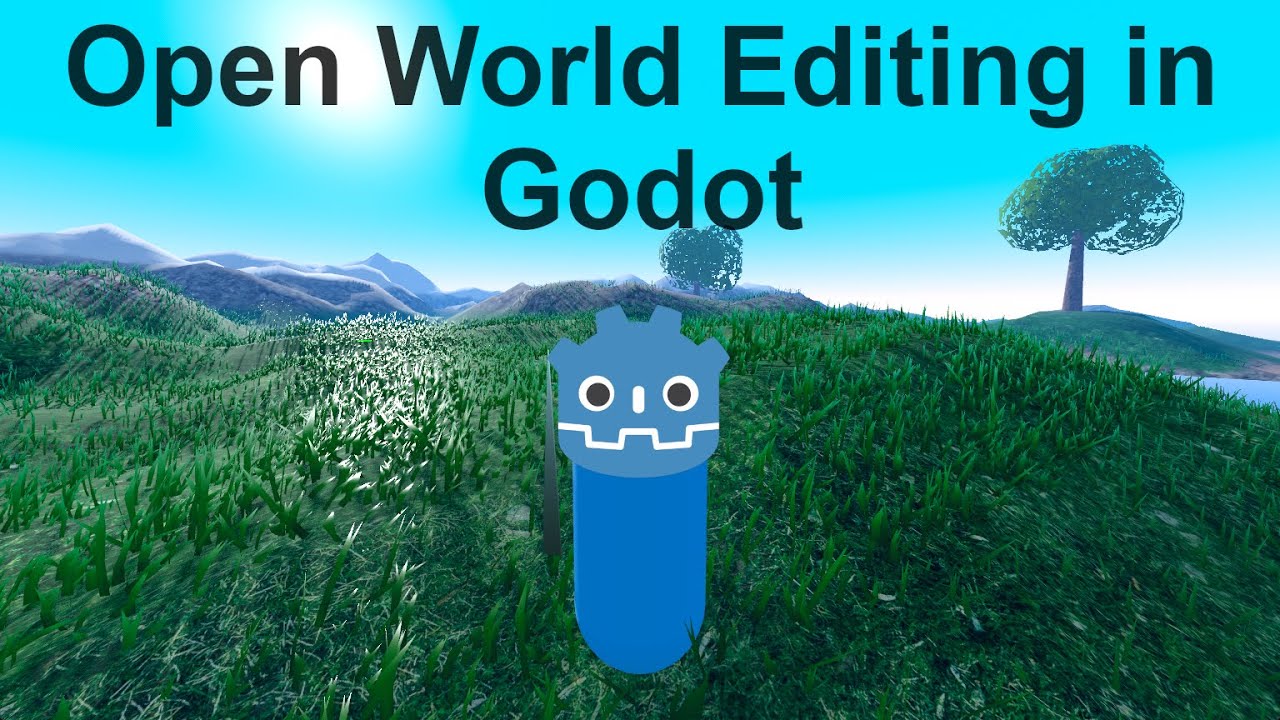
Please ⭐ it at: https://github.com/DigitallyTa....ilored/Godot-Open-Wo
📖 Full documentation and setup guide in the repository
Discord: https://discord.gg/dPYxs3gXWQ
Demonstrating the Open World Database addon for Godot - a powerful solution for creating large-scale 3D open worlds without performance issues.
🌍 WHAT IT DOES:
• Automatically manages world content through intelligent chunking
• Streams objects in/out in batches based on camera position
• Handles thousands of objects without memory bloat
• Minimal workflow changes - just parent nodes to OWDB
🚀 KEY FEATURES:
• Size-based optimization (different chunk sizes for props vs buildings)
• Seamless Godot editor integration
• Persistent world state with .owdb files
• Maintains hierarchical relationships
• Preserves all node properties including custom exports
💡 PERFECT FOR:
• Large open world games
• City builders with thousands of objects
• RPGs with persistent worlds
• Any project struggling with too many scene nodes
The plugin automatically categorizes objects by size and assigns appropriate chunk sizes - small props get fine-grained chunks while large buildings use bigger chunks. Everything streams seamlessly as you move through your world.
#Godot #GameDev #OpenWorld #Plugin #Addon #3D #Streaming #Performance #IndieGame #GodotEngine

تبغا تتعلم صناعة الالعاب بشكل كامل ؟ كورسي لتعلم تطوير الالعاب:
https://linktr.ee/Sopdev
شكرا لك على المشاهدة اذا حاب تدعم القناة رابط الانتساب :
https://www.youtube.com/channe....l/UCJDH9ZIuUBCDSGWxJ
رابط موقع محرك قودوت الرسمي : https://godotengine.org/download
الملفات الي بنحتاجها ( تم تعديل الملف ) : https://drive.google.com/file/....d/1eyL_P22glw1zkSn5h
هذا المقطع هو شرح كيف تسوي لعبة كاملة من الصفر حتى الاحتراف في محرك قودوت ومابتحتاج تعرف اي خبره سابقة في المحرك او في لغة البرمجة ، يسموا نوع اللعبة قريد بايسد قيم ويعني انه التحرك يكون في GRID او مربعات كبيرة ، حاولت اسهل الشرح مره وابسطه عشان اي شخص ممكن يفهمه فا اذا شفت اني قاعد اشرح اشياء سخيفة مو لازم تكتب في الكومنتات ، اتمنى يعجبكم المقطع واسف على التأخير لانه اخذ مني وقت مرررررره طويل واتمنى تنشروه في كل مكان وماتخلوا مكان الا وتودوه فيه .
تقسيم المقطع :
0:00 المقدمة
0:43 تحميل المحرك
0:57 انشاء المشروع
1:24 شرح واجهة المحرك
3:07 تجهيز المشروع
4:55 تجهيز عالم اللعبة
9:55 تجهيز اللاعب
17:59 تجهيز الصندوق
21:20 تجهيز الspot او مكان الصندوق
23:22 الفوز
27:28 اعادة اللعبة
28:19 تحسين الفوز
29:34 تحسين حركة اللاعب والصناديق
31:38 مدخل للأنميشنات في محرك Godot
33:43 الخاتمة
مواقع التواصل الأجتماعي الخاصة فيني تنورني :
موقعي الخاص : https://sop-dev.com/
إنستقرام : https://www.instagram.com/sop.dev/
تيك توك : https://www.tiktok.com/@sop.dev?
رابط سيرفري في الدسكورد : https://discord.gg/7zcaPjtpJb
اذا حاب تحمل العابي :
https://sopdev.itch.io
https://play.google.com/store/apps/de...
للأعلانات | for ads :
sopforads@gmail.com
مقاطع أخرى ممكن تعجبك :
برامج لازم تكون عند كل مطور ألعاب !! ( مع روابط التحميل ) :
https://youtu.be/tWxThHPznXk
شاركت في مسابقتين صنع العاب في وقت واحد !! :
https://youtu.be/uM06bqaHUcY
جربت الألعاب الي برمجوها المتابعين !! :
https://youtu.be/SLL9umpWitc
لا تبدأ بتطوير الألعاب الا بعد ماتشوف هذا المقطع !! ( قصة حقيقية ) :
https://youtu.be/dooxkOMZx-o
اللهم صلي على سيدنا محمد وعلى اله وصحبه وسلم .
افضل العاب للجوال بدون نت
لعبة بالجوال لشخصين
افضل العاب للجوال
العاب جوال رهيبة
ألعاب لشخصين بالجوال
افضل لعبة للجوال
افضل لعبه للجوال
افضل لعبة في الجوال
لعبه لشخصين بالجوال
العاب للجوال بدون نت
Become a member and gain extra perks to support me! - https://www.youtube.com/channe....l/UCpze0mic33Sffs93z
Buy me a coffee @ ko-fi : https://ko-fi.com/ezthedev
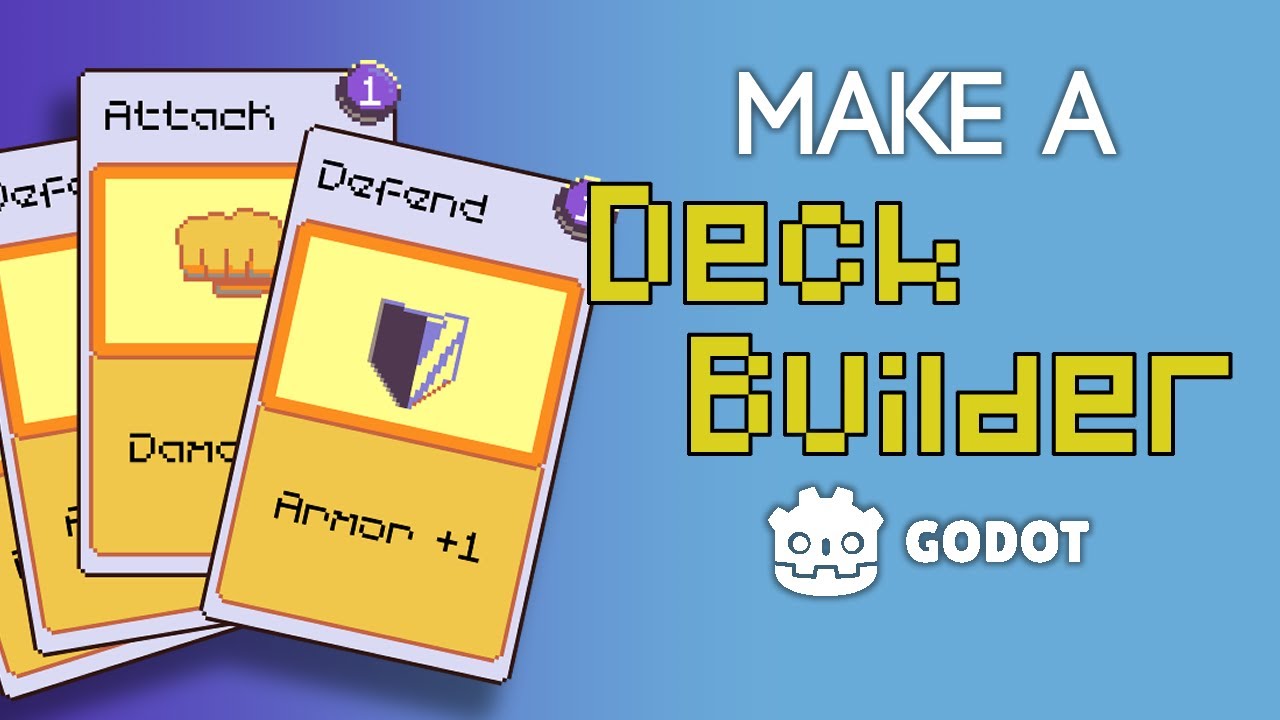
This is a tutorial unlike anything! Raw and authentic.
Join me and build a rogue-like card game with me!
Part2: https://youtu.be/Kmt05rFM3e8
git repo for this tutorial project:
https://github.com/real-ezTheD....ev/rogue-like-deckbu
00:00:00 Intro
00:01:00 Tutorial Begins
00:05:56 Card Scene
00:13:02 Card Code
00:25:16 Create Card Code
00:37:22 Create Card RESULT
00:37:39 Create Types of Cards
00:45:29 Done????
00:46:13 Tool Tag
00:49:12 Tool Tag RESULT
00:49:42 Create a Hand
00:50:42 What is Hand?
00:59:37 Math for Hand
01:11:43 Math for Hand RESULT
01:13:40 Add a Card to Hand
01:29:52 Add Card RESULT
01:30:24 Select and Click the Card
02:05:19 Select and Click RESULT
02:05:30 MEMORY LEAK?!
