Other

➡️ Check out the developer's game, Alix, and socials:
Bsky: https://bsky.app/profile/oxeron.com
Steam: https://s.team/a/3245530
Discord: https://discord.gg/xfN5n4aNVE
Itchio: https://oxeron.itch.io/alix
⚠️ Submit your project for review here: https://forms.gle/w7uY9GFF1BnpuMnu6
💻 CallableStateMachine implementation: https://gist.github.com/firebe....lley/96f2f82e3feaa27
🕹️ Purchase Gunforged on Steam! https://store.steampowered.com..../app/2258480/Gunforg
Learn Godot with my Udemy courses!
🌐 https://godotcourses.com
📖 Online Multiplayer Course: https://www.udemy.com/course/c....reate-a-complete-onl
📖 C# Course: https://www.udemy.com/course/c....reate-a-complete-gri
📖 Survivors Course: https://www.udemy.com/course/c....reate-a-complete-2d-
📰 Sign up for my newsletter: https://firebelley.com
🎮 Pick up one of my games:
https://store.steampowered.com/search/?sort_by=_ASC&developer=Firebelley
https://store.steampowered.com..../app/1330940/Sword_S
https://firebelley.itch.io/sword-slinger
➡️ Follow me on X (Twitter): https://x.com/firebelley
➡️ Steam: https://store.steampowered.com..../search/?developer=F
➡️ Itch.io: https://firebelley.itch.io/
This is what a professional and sophisticated Godot project looks like! In this video we cover the pros-and-cons of behavior trees as well as how they function, and we explore various other technical decisions made by the developer of Alix.
#godot #gamedev

Text version of this tutorial available here:
https://www.gamedevjourney.co.....uk/home/godot/saving
Let's look at how to create a custom resource for a saved game in Godot. We'll accomplish this using a script, and then we can work on saving and loading the game data. This is a great method for software development.

This week we take a look at five more inspiring games made in the Godot Engine.
🏆 Go to https://snhu.edu/stayathomedev and learn how you can get started with a Game Development degree (sponsor)
-----------------------------------------------------------------------------------
🎮 SUBMIT YOUR HOBBY GODOT PROJECT ►► https://stayathomedev.mykajabi.....com/submit-hobby-pr
🎮 SUBMIT YOUR INDIE GAME OR PROJECT ►► https://stayathomedev.mykajabi.....com/submit-godot-pr
-----------------------------------------------------------------------------------
I hope these games made in Godot serve as inspiration for what is possible with the game engine. Check em out and vote your favorite in the comments!
The Godot Engine is a free open source 2D and 3D game engine alternative to Unity and Unreal. Godot 4 is the current engine version and is being used by game developer studios and indie game developers alike.
Your favorite game is entered into the 2025 Godot Game Awards.
The hope is that these games & projects truly inspire anyone wanting to make games, especially with the Godot Engine, by showing what other people are creating and what is possible.
-----------------------------------------------------------------------------------
✅ SUPPORT THE CHANNEL
https://www.patreon.com/StayAtHomeDev_
And get:
- Early access to tutorials
- Access to tutorial source files
-----------------------------------------------------------------------------------
STAYATHOMEDEV ►► https://stayathomedev.com
TWITTER ►► https://twitter.com/StayAtHomeDev
BLUESKY ►► https://bsky.app/profile/stayathomedev.bsky.social
MY ITCH.IO PAGE ►► https://stayathomedev.itch.io/
-----------------------------------------------------------------------------------
Resources:
GODOT ENGINE ►► https://godotengine.org/
DOWNLOAD GODOT ►► https://godotengine.org/download
-----------------------------------------------------------------------------------
00:00 1 | Seeds of Calamity
00:45 2 | Screaming Head
01:31 Sponsor | SNHU
02:33 3 | Burn With Me
03:17 4 | Super Adventure
04:08 Last Week's Winner
04:21 5 | Blackhill Keep: Heir of the Night
05:07 Submit Your Own Godot Game
-----------------------------------------------------------------------------------
Seeds of Calamity
https://store.steampowered.com..../app/1780070/Seeds_o
Screaming Head
https://store.steampowered.com..../app/3372460/Screami
Burn With Me
https://store.steampowered.com..../app/2954010/Burn_Wi
SUPER ADVENTURE
https://store.steampowered.com..../app/3578820/SUPER_A
Blackhill Keep: Heir of the Night
https://store.steampowered.com..../app/3598680/Blackhi
#godot #godotengine #godot4

Definitely make my top 10 list of favorte songs EVER. ^.^
Also, I chose this picture of Godot insted of him drinking coffee because... well 'cause I wanted to. xD
I mean, WHO can resist this smile? (I know I can't) :]
**DOWNLOAD THIS SONG**
Here are two links to download this song, courtesy of gamingfreak2:
http://www.megaupload.com/?d=TYL4P45W
http://www.zshare.net/download/51422331b7d42b15/

Полный курс по GODOT 4: https://stepik.org/a/137222?utm_source=youtube
Исходный код игры: https://github.com/drxwat/godot-invaders
Ветка с улучшениями игры (от подписчиков): https://github.com/drxwat/godot-invaders/tree/art-improvements
Русскоязычные Сообщества Godot:
Cообщество в Telegram: https://t.me/godot_engine
Cообщество в Discord: https://discord.gg/W4MU79hGwY
VK GODOT ENGINE | Clickteam Fusion https://vk.com/game_constructors
VK Godot на русском https://vk.com/godot_rus_docs
VK Godot Engine https://vk.com/godot_engine
Мои сообщества и соцсети:
Канал в Telegram: https://t.me/frontend_pashtet
Discord сервер: https://discord.gg/tJxdsvHtBX
Boosty: https://boosty.to/frontend_pashtet
Twitch: https://www.twitch.tv/frontend_pashtet
Таймкоды:
00:00:00 Чему ты научишься
00:00:57 Создание нового проекта
00:01:42 Где брать графику для игры
00:01:56 Знакомство с интерфейсом Godot
00:02:55 Создание первой сцены
00:03:22 Настройка разрешения игры под NES
00:03:55 Выбор сцены по умолчанию
00:04:16 Настройка рабочего разрешения
00:04:58 Настройка растяжения окна игры
00:05:47 Добавляем повторяющийся фон
00:08:55 Настраиваем проект под pixel art
00:10:50 Создаем сцену космического корабля
00:13:24 Добавляем корабль на сцену игры
00:14:00 Добавляем невидимые стены
00:15:40 Создаем сцену врага
00:17:40 Добавляем первый скрипт и заставляем корбаль двигаться
00:23:06 Добавляем стрельбу ракетами
00:29:50 Вкладка Remote для изучения структуры игры во время работы
00:30:20 Уничтожение ракет при выходе за экран
00:32:47 Слои и маски коллизий
00:35:02 Уничтожение ракеты при попадании
00:37:38 Уничтожения врага при попадании ракеты
00:38:51 Движение врагов
00:53:54 Добавляем вражеские пули
01:04:03 Добавляем UI/HUD
01:10:23 Автозагрузка скриптов и Шина событий
01:14:08 Счетчик очков
01:16:35 Счетчик жизней
01:23:55 Интерфейс экрана Game Over
01:32:45 Как дальше изучать Godot

Hello! This is a tutorial on how to make a isometric tilemap in Godot 4. Specifically, I show how to draw a basic tileset, set it up in Godot, create a basic isometric player controller, and finally how to auto generate collisions. Here's a link to the git repository containing the project's source code: https://github.com/DevPoodle/y....t-example-projects/t
If you want to download a premade isometric tileset, Kenney.nl has some good free options: https://kenney.nl/assets?search=isometric&sort=update.
Chapters:
0:00 Intro
0:41 Drawing a tileset
2:59 Setting up the tilemap
5:30 Creating a basic top-down player
7:48 Automatically generating collisions
9:06 Outro
Thanks for reading the description and thanks for watching the video.💖

Learn how to create custom StyleBox'es and let's make our very own stackable stylebox to craft some very interesting UI nodes.
🌐 Want to support me? https://www.patreon.com/Octodemy
Project source files: https://www.patreon.com/posts/136465561
····················································································
Control nodes are customized by using styleboxes. Here we'll learn what they are, and how we can improve on them.
A few simple changes can make a big difference in our ability to craft some very interesting UI elements.
#godot4 #godot #godotengine
#godot4.4
CHAPTERS:
0:00 Intro
0:14 Stylebox overview
2:08 Making negative margins
4:33 Stackable Styleboxes
5:07 But first, how they work
7:10 The StyleBoxStacked
8:45 How to use it
10:22 Content Margins
11:10 Exploration: StyleBoxFlat upgrade
12:51 Examples
13:33 Blurred Shadows with Gradients
15:18 End
----- Notes:
For some reason YouTube's auto-dubbing feature is not working.
I've tried to re-upload it and it doesn't seem to want to start processing or even adding the languages.
So if it doesn't add them later, this one will not be having dubs, sorry.

This week we take a look at five more inspiring games made in the Godot Engine.
🏆 Earn Money with Salad (sponsor) ►► https://bit.ly/StayAtHomeDev-Salad
-----------------------------------------------------------------------------------
🎮 SUBMIT YOUR HOBBY GODOT PROJECT ►► https://stayathomedev.mykajabi.....com/submit-hobby-pr
🎮 SUBMIT YOUR INDIE GAME OR PROJECT ►► https://stayathomedev.mykajabi.....com/submit-godot-pr
-----------------------------------------------------------------------------------
I hope these games made in Godot serve as inspiration for what is possible with the game engine. Check em out and vote your favorite in the comments!
The Godot Engine is a free open source 2D and 3D game engine alternative to Unity and Unreal. Godot 4 is the current engine version and is being used by game developer studios and indie game developers alike.
Your favorite game is entered into the 2025 Godot Game Awards.
The hope is that these games & projects truly inspire anyone wanting to make games, especially with the Godot Engine, by showing what other people are creating and what is possible.
-----------------------------------------------------------------------------------
✅ SUPPORT THE CHANNEL
https://www.patreon.com/StayAtHomeDev_
And get:
- Early access to tutorials
- Access to tutorial source files
-----------------------------------------------------------------------------------
STAYATHOMEDEV ►► https://stayathomedev.com
TWITTER ►► https://twitter.com/StayAtHomeDev
BLUESKY ►► https://bsky.app/profile/stayathomedev.bsky.social
MY ITCH.IO PAGE ►► https://stayathomedev.itch.io/
-----------------------------------------------------------------------------------
Resources:
GODOT ENGINE ►► https://godotengine.org/
DOWNLOAD GODOT ►► https://godotengine.org/download
-----------------------------------------------------------------------------------
00:00 1 | The Oily Depths
00:44 2 | Soulglass
01:30 Sponsor | Salad
02:12 3 | Smokin Potions
02:56 4 | Solitary Sentinel
03:46 Last Week's Winner
03:59 5 | Abyssal Blade
04:52 Submit Your Own Godot Game
-----------------------------------------------------------------------------------
The Oily Depths
https://store.steampowered.com..../app/3113030/The_Oil
Soulglass
https://store.steampowered.com..../app/3504430/Soulgla
Smokin Potions
https://store.steampowered.com..../app/3433720/Smokin_
Solitary Sentinel
https://store.steampowered.com..../app/2967790/Solitar
Abyssal Blade
https://store.steampowered.com..../app/3681370/ABYSSAL
#godot #godotengine #godot4
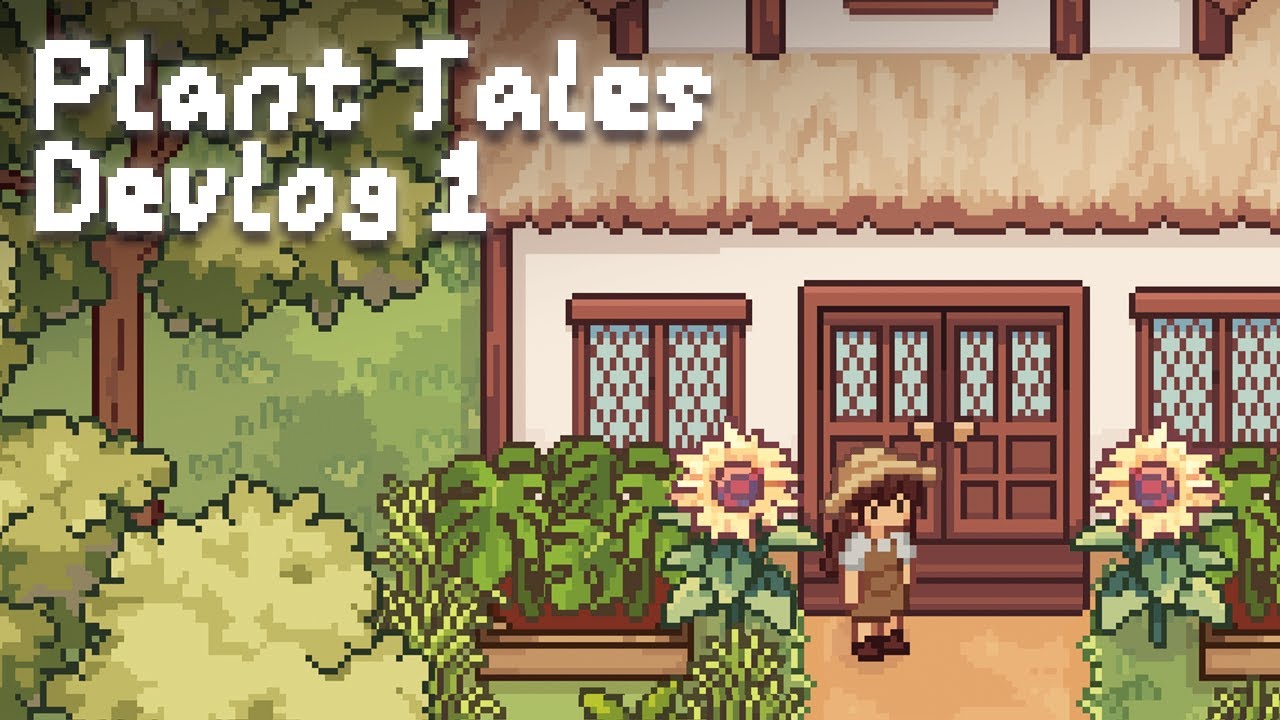
Welcome to the first devlog for Plant Tales! Consider wishlisting on Steam if you’re interested :)
https://store.steampowered.com..../app/3693970/Plant_T
I’ve been working on this plant game for the past year in my spare time (about 3 days a week) and it’s about time I show you all what I’ve been up to! This video covers up to month 7, and I’ll be saving the rest for future devlogs. Would really appreciate any feedback and thoughts about the game so far :D
As for the release date, I don’t want to make any false promises, so I don’t have a release date in mind yet. But hopefully it doesn’t take tooooo long
Also apologies if the video feels like it jumps around the place, I may have crammed in too much. In reality when developing, I constantly jump back and forth between features. So I did try to reshuffle the timeline so the video made more sense.
I also want to mention how amazing my experience with Godot has been! As you may know, I switched to Godot from Unity after the Unity pricing controversy. I honestly feel like I’ve been able to accomplish more in Godot over the past year than I have in Unity over the last 5 years. It’s probably also due to gaining more experience over time in general - but I'm super happy with the progress I've been able to make with Godot!
Some of you might also be curious what happened to my other game. It's going on pause while I complete this one, since this one has a much clearer scope and gameplay loop (I have since learnt the importance of both these things haha). Will probably return to it at some point though
______________
Music:
Intro music made by me - kinda nervous to put it in the video so hope u like it :)
Tomato Soup by Oneul - https://www.youtube.com/watch?v=YykqogmOEec
Potato chips by Oneul - https://www.youtube.com/watch?v=U_Qh8w_0c6o
Roommate by Oneul - https://www.youtube.com/watch?v=y1Llh8cNRtc
Lazy mood by Oneul - https://www.youtube.com/watch?v=jUG1PGRj4sI&t=539s
Happy Avocado by Oneul - https://www.youtube.com/watch?v=StPsgkanTIQ
Palm Tree by Oneul - https://www.youtube.com/watch?v=uHYXrmteQPw
Undertale OST: 055 - Can You Really Call This A Hotel I Didn't Receive A Mint On My Pillow
Good Things by Oneul - https://www.youtube.com/watch?v=_0PELBbu6G8
Outro music made by me
______________
Art resources mentioned:
- Artist inspo: https://x.com/4_9_13
- Pixel art tree tutorial 1: https://www.youtube.com/watch?v=VLuKpgkOuKM
- Pixel art tree tutorial 2: https://x.com/frosty_rabbid/st....atus/175134245118326
______________
Coding resources mentioned:
- Windy effect shader: https://godotshaders.com/shade....r/2d-foliage-wind-ef
- Tilemap texture shader: https://www.youtube.com/watch?v=eYlBociPwdw
- Water shader: https://www.youtube.com/watch?v=pGOLstWBCDA
______________
Chapters:
00:00 - Intro
00:40 - Month 1 (the idea)
01:42 - Gameplay loop
02:11 - Creating the first visuals
02:41 - Month 2 (plant effects)
03:32 - Inventory/Hotbar
04:30 - Greenhouse
05:09 - Saving and loading
05:40 - Bed and sleeping
05:53 - Plant cloning
06:27 - Month 3 (grass, trees and exploration)
07:38 - Rudimentary procedural generation
08:30 - Player house
09:04 - Fixing bugs
10:07 - Month 4 (the shop!)
12:07 - Month 5 (plant watering and growth)
13:32 - Plant overview
13:50 - Month 6 (rainforest & town)
14:40 - Creating the town
15:39 - Month 7 (character customisation & NPCs)
16:32 - Creating the NPCs
17:21 - Biome generation
18:14 - Outro

Quick guide on accessing nodes

Yes, Godot is a game engine, but a fairly capable UI framework for making non-game software as well! A frequently cited fact is that the engine's editor itself is written in Godot. So in this talk, I want to shine some more light on this, and share what I have learned while using Godot to make my (free and open source) to-do list app Habituary. I'll cover the fundamentals of working with Control nodes (including topics like responsive UI and theming), but also point out certain showstoppers and annoyances, and present my custom-made solutions to some of those.
0:00 - Talk
22:29 - Q&A
🔗 https://github.com/njamster/habituary
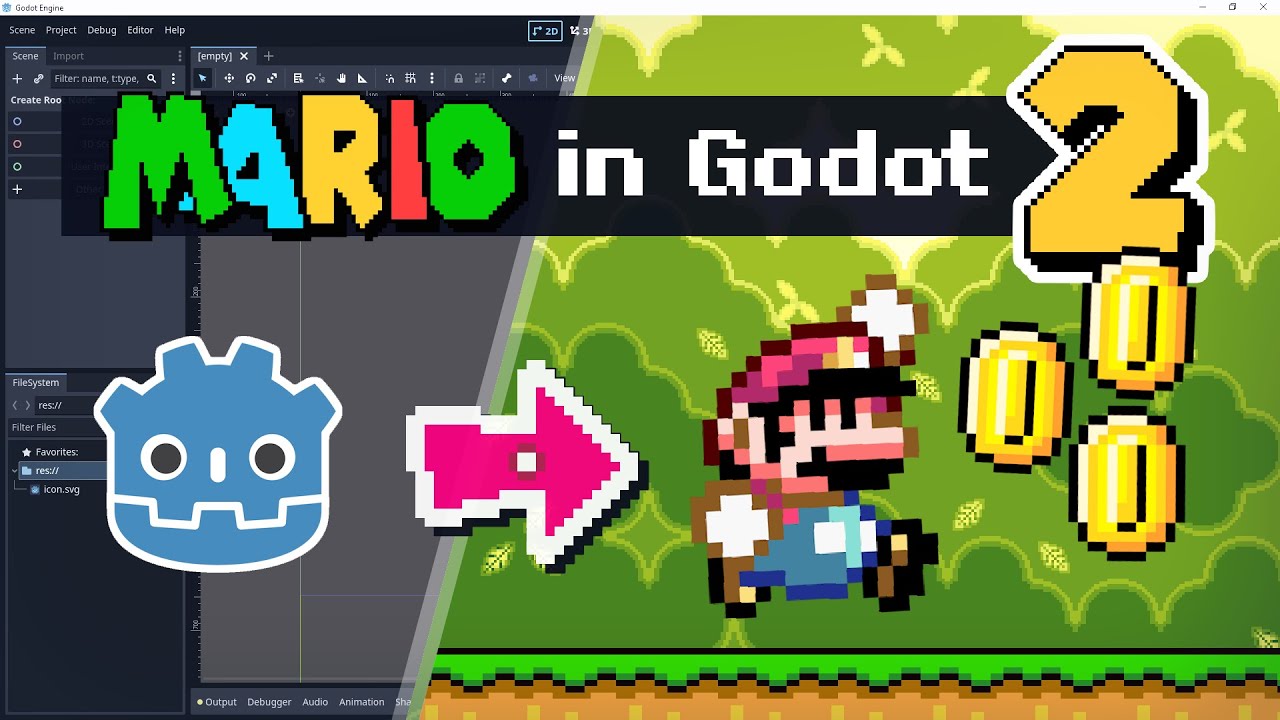
In this episode of "Remaking Super Mario World in Godot", I'm adding more interactive elements to the world - and learning a lot about Godot along the way! Feel free to join me as I figure out the best way to create blocks, coins and enemies.
Chapters:
00:00 Intro
00:47 Blocks I: How blocks work in Super Mario World
03:34 Blocks II: Making blocks in Godot
06:36 Blocks III: Organizing types of blocks
09:09 Blocks IV: Block interaction
12:16 Coins
14:05 Enemies
17:00 Comment Responses
18:51 Outro
Music:
Super Mario World: Overworld [Lo-Fi REMIX]: https://www.youtube.com/watch?v=dOV5C5vqtDc
Super Mario World - Ground Theme (Lofi Lia Remix): https://www.youtube.com/watch?v=eUGqNORTAIs
See also:
"Super NES Features" playlist by Retro Game Mechanics Explained: https://www.youtube.com/playli....st?list=PLHQ0utQyFw5
Banduck, who is also making Super Mario World in Godot and is way further along: https://www.youtube.com/@Banduck
My latest SMW ROM hack, A Plumber For All Seasons: https://www.youtube.com/watch?v=dQpI9N6TzpM
"2" in the thumbnail from the SMW logo font by BMatSantos on MFGG
https://www.eric-kaiser.net
https://ko-fi.com/wye951


Quick tutorial on how to use "Get Tree" in Godot 4!!!
A question as old as time, which game engine should I use, Unity or Godot? This is certainly an emotionally charged topic and one we are going to attempt as unbiased as possible to hopefully help you decide which of these game engines is right for you. We look at 6 Pros and 3 Cons of choosing the Unity or Godot game engines. We only focus on Unity and Godot in this video, if you would prefer a similar treatment for other game engines such as Unreal, GameMaker, Defold or otherwise, let me know in the comments.
*Key Links*
https://gamefromscratch.com/go....dot-vs-unity-which-t
-----------------------------------------------------------------------------------------------------------
*Support* : https://www.patreon.com/gamefromscratch
*GameDev News* : https://gamefromscratch.com
*GameDev Tutorials* : https://devga.me
*Discord* : https://discord.com/invite/R7tUVbD
*Twitter* : https://twitter.com/gamefromscratch
*BlueSky*: https://bsky.app/profile/gamef....romscratch.bsky.soci
-----------------------------------------------------------------------------------------------------------

Godot has two major languages it supports for scripting: GDScript and C#. But what if you wanted to write your Godot scripts in a different language? With the new GDExtension system in Godot 4+, we now have the ability add other languages. This talk will take you through the process of binding a language to Godot, using examples from Godot Dart. It will take you through some of the inner workings of GDExtensions, the pitfalls of using GDExtension to add a Script Language, and various ways for new languages to interact with core Godot features, addons, and other extensions.
---
Jeff is a former game developer, mobile engineer, and manager who now specializes in doing fun things with Dart and Flutter, including personal projects embedding Dart into game engines like Godot. At Datadog, he leads the development of several Datadog cross platform SDKs.

Si pensás que Godot solo sirve para 2D, hoy te traigo 5 juegos 3D que demuestran el verdadero potencial del motor.
10 ESTILOS DE ARTE para NO ARTISTAS en videojuegos
https://youtu.be/5K5nVWZZWCs
El CÓDIGO de tu juego NO tiene que ser PERFECTO
https://youtu.be/zYOhkumfGF0
Los SECRETOS de Alva Majo para un buen GAME FEEL
https://youtu.be/u3XrFoxYSBE
TWEENS en Godot: Cómo ANIMAR por CÓDIGO
https://youtu.be/unAj7HA1ews
10 TIPS INDISPENSABLES para GODOT (Parte 1)
https://youtu.be/c1ENukT67Kg?si=Pxt3oqSiI8NoW83d
10 TIPS INDISPENSABLES para GODOT (Parte 2)
https://youtu.be/CEo8sKojL1g
Godot 4 - MOVIMIENTO y ANIMACIÓN para plataformas 2D
https://youtu.be/zO0NC8Gdv0s
Probando GODOT ¿Es un BUEN MOTOR de VIDEOJUEGOS?
https://youtu.be/F7DxduuJiuE?si=7_EwlVjj0tZ83XAs
5 JUEGOS EXITOSOS hechos con GODOT
https://youtu.be/euh5g12T6Dw
Conseguir SPRITES gratuitos y pagos para tu JUEGO 2D!
https://youtu.be/VlrjMU-L1GA
Cómo se HACE un VIDEOJUEGO INDIE 🎮
https://youtu.be/gcB4qFb49HM
VECTORES en el DESARROLLO de VIDEOJUEGOS
https://www.youtube.com/watch?v=Sjmb52qFkJo&t
PRODUCTO PUNTO en videojuegos
https://youtu.be/tNJLlDqyRXw?si=YRDTLXfYipT2z9w4
Instagram | https://www.instagram.com/indierama.gamedev/

▶ Get Laser Files & Code : https://www.gdquest.com/library/laser_2d/
▶ *Join GDQuest's Unique Indie Gamedev Program* : https://school.gdquest.com/godot-4-early-access
▶ Raycast Study Guide : https://www.gdquest.com/librar....y/raycast_introducti
Learn how to use Raycasts and easy VFX to create a satisfying 2D Laser Beam in Godot.
----------------------------
🎓 *Can't Code?* Check out GDQuest's Free App to Learn GDScript: https://school.gdquest.com/cou....rses/learn_2d_gamede
🎮 *New to Godot?* This wizard will show you around the editor! https://www.gdquest.com/tutori....al/godot/learning-pa
-----------------------------
🗨 You're welcome in our little community: https://discord.gg/87NNb3Z
🗨 Follow Nathan: https://twitter.com/nathangdquest
------------------------------------------
🎬 *TIMESTAMPS*
------------------------------------------
0:01: It's all over the games we love - from Zelda to Dishonoured
0:18: Grappling hooks, mining beams & teleportation markers
0:30 2 Main ingredients: Raycast + Visuals
0:55 Wait... How are we doing this?
1:21 What is a Raycast?
2:05 Follow along in the Free Library
2:20 Implement the Raycast
3:53 Draw the Beam Line
6:00 Animate the Laser Beam
6:54 Fire the Laser
7:10 Light it up - with Particle Effects
7: 30 Reproduce the Juice - VFX
7:46 Learn more about Raycasts
#godot #tutorial #laser
-------------------------------------------
*CC-BY 4.0 LICENSE*
Terms: https://creativecommons.org/licenses/by/4.0/
Attribute To: "CC-By 4.0 - GDQuest and contributors - https://www.gdquest.com/"

Discover how to create fluid, procedural tentacle animations in Godot 4 using Skeleton2D and inverse kinematics, no math skills required! In this quick tip, I'll show you my simple approach to creating Lovecraftian tentacle movements that follow arcs naturally without frame-by-frame animation.
I'll demonstrate how combining Skeleton2D with the new FABRIK (Forward And Backward Reaching Inverse Kinematics) modifier creates smooth, organic movement that responds to targets dynamically. Perfect for creature animations, tentacles, tails, or any appendage that needs natural, flowing motion.
By the end of this video, you'll understand how to:
- Set up a Skeleton2D hierarchy for procedural animation
- Implement inverse kinematics using the FABRIK modifier
- Create smooth arc movements using Path2D and PathFollow2D
- Combine these techniques for gameplay mechanics like grabbing the player
No complicated math or advanced animation knowledge needed, just Godot's built-in tools!
Get the Godot Adventure Essentials course:
🎓https://www.ludens.studio/godo....t-adventure-essentia
Get access to assets, tutorial files, and more:
👨🚀https://ko-fi.com/ludensludonaut/tiers
Learn the 12 Essential Features of Platformer Games:
📘https://ko-fi.com/s/8df29350d8
---
Chapters
00:00 - I. Introduction to Procedural Animation
00:30 - II. Tentacles for Lovecraftian Entities
00:59 - III. The No-Math Approach
01:54 - IV. Creating the Tentacle Movement
02:52 - V. Understanding Skeleton2D
03:51 - VI. Setting Up Bone Relationships
04:47 - VII. The Magic: Skeleton Modification Stack
05:43 - VIII. Target Node and Inverse Kinematics
06:42 - IX. Animation Principles: Movement in Arcs
07:38 - X. Creating Multiple Animations
09:07 - XI. Toggling Between Animations
10:32 - XII. In-Game Implementation
11:31 - XIII. Procedural vs. Keyframed Animation
12:31 - XIV. Smoothing Out the Curves
13:30 - XV. Conclusion and Next Steps

Ho creato il mio primo videogioco su Godot, comparandolo poi col programma che uso principalmente ovvero unity.
riuscendo a scoprire il motivo nascosto per cui sia il terzo engine più usato al mondo
🔵Entra nel server discord!
https://discord.gg/Cgs3Je945q
📷Seguimi su Instagram
https://www.instagram.com/genialbuilder/
🧡Ricordati di iscriverti al canale e di lasciare like
https://www.youtube.com/@genia....lbuilder?sub_confirm
📌Timestamps
0:00 Intro
0:25 Il Tutorial
1:37 La Programmazione
2:59 Inizio Del Gioco
4:30 Il Player
5:46 Play Test
7:04 La Pista
8:15 Miglioramenti
9:33 Menu e Suoni
10:39 Unity o Godot?
