Other

What if you could design and control custom synthesizers directly within Godot? godot-csound enables real-time sound synthesis, allowing developers to create procedural audio systems tailored to their games.
In this talk, we’ll cover the technical process of writing synthesizers in Godot using godot-csound, from generating basic waveforms to designing more complex, interactive synths. We’ll explore how to send parameters from Godot to Csound, implement real-time control for dynamic sound variation, and optimize performance for game-ready audio synthesis.
Best of all, godot-csound is free and open source, making it accessible for developers, composers, and audio enthusiasts alike. Whether you're building a dynamic soundtrack, interactive sound effects, or experimental audio systems, this session will serve as an introduction to creating custom synthesizers inside Godot.

The wait for Godot just got one step closer with the release of Godot 4.5 Beta. In this video we check out all the great new features added in Godot 4.5 beta and and Dev1 thru Dev5 releases leading up to it.
Key Links
https://gamefromscratch.com/go....dot-4-5-beta-release
*Godot Bundle Link* : https://gumroad.com/a/704515091/dwibjc
MAKE SURE YOU USE THE CODE SN40 at checkout for $40 off!!!
Other Bundles:
*Unity SpaceNova Bundle (Use Code SN70)* - https://gumroad.com/a/704515091/jcjgk
*Unity StarNova Bundle (Use Code SN40)* - https://gumroad.com/a/704515091/blhcn
*Unreal Engine SpaceNova Bundle (Use Code SN70)* - https://gumroad.com/a/704515091/jcjgk
*Unreal Engine StarNova Bundle (Use Code SN40)
https://gumroad.com/a/704515091/rpmmp
Using the above links helps support GFS (and thanks so much if you do!)
TIMELINE
0:00 Introduction to Godot 4.5 Beta 1
0:14 Recap of Godot 4.5 Dev1 thru Dev5 release features
2:24 Hands-On Godot 4.5 Beta
2:55 New Stencil Support in StandardMaterial3D
3:46 XRay Material Shader Demo
5:02 New Thumbnails in File System Window
5:51 Toggle visibility in Inspector Window
6:49 New Preview Translation support
7:22 Tilemap Improvements / New Collision polygon support
8:43 Label - Stackable Elements Shadows and Outlines
10:13 Release Notes Time
12:16 GDScript Improvements - Abstract classes and variadic parameters
14:50 Translation Preview Demonstration
15:25 New Android TouchActionsPanel
16:46 New Graphics and Rendering Features
18:12 Shader Baker
19:20 Conclusions
Guides to Import/Export Assets Between Engines
-------------------------------------------------------------------------
*New Unreal to Godot Convertor*
https://gamefromscratch.com/un....real-to-godot-amazin
*Is It Legal to Use Unreal Engine Assets in Unity or Godot and Vice Versa:*
https://gamefromscratch.com/us....ing-asset-store-asse
*Unreal to Godot, Blender or Unity:*
https://gamefromscratch.com/ex....porting-from-unreal-
*Moving From and To Unity in Minutes*
https://gamefromscratch.com/mo....ving-from-and-to-the
-----------------------------------------------------------------------------------------------------------
*Support* : https://www.patreon.com/gamefromscratch
*GameDev News* : https://gamefromscratch.com
*GameDev Tutorials* : https://devga.me
*Discord* : https://discord.com/invite/R7tUVbD
*Twitter* : https://twitter.com/gamefromscratch
*BlueSky*: https://bsky.app/profile/gamef....romscratch.bsky.soci
-----------------------------------------------------------------------------------------------------------

Final Fantasy tactics is getting a remake and I thought I’d have a go at trying to recreate the game in the Godot game engine. By far the most difficult part so was recreating the movement. In final fantasy tactics the characters move in a way where they don’t turn until they’re aligned with their destination. Called Manhattan distance. This movement is trivial to create in 2d but in 3d it posed a bit more of a challenge.
What I eventually realized was that it was much faster and more efficient to exclude diagonal points from the initial calculations to begin with. My next step was to provide a slight movement cost reduction to either the x or z axis. Which allowed for the traditional Manhattan path finding appearance. Now I only have to recreate a robust Job system, combat, turn management and an Enemy AI.
Members Link to the code: https://www.youtube.com/post/U....gkxDjX1s0pjRsB5E5hKT
Follow on Twitch : https://www.twitch.tv/chaff_games
Support the Channel: https://www.patreon.com/ChaffGames
Join The Discord: https://discord.gg/Exzd8QmKrU
Get the FPS Template Here: https://chaffgames.com/fps-game-template/
Get the FPS PRO Template: https://chafmere.itch.io/godot-4-fps-pro
Get the Retro Media Sound Pack: https://itch.io/s/123126/retro-media-mega-bundle
---------------------------------------------------------------------------------------------
----------------------------------------------------------------------------------------------
Please like and Subscribe! It's truly appreciated
#GameDevelopment #gamedev #Godot
Links to my Socials
Instagram: https://www.instagram.com/chaff.dev/
Twitter: https://twitter.com/ChaffDev
Itch.io: https://chafmere.itch.io/
Website: www.chaffgames.com

In this video I walk through my project hierarchy for Dauphin, providing an overview of the core organizational concepts I employ as well as an overview of my most important top and second-level folders. Hope you find it useful!
#godot #organization #gamedev
00:00 Intro & Purpose
00:55 Core Organizational Concepts
03:13 Assets
03:55 Common
04:47 Config
05:07 Entities
07:36 Localization
07:51 Stages
08:45 Utilities
09:22 Wrap-Up
🙋♂️ SOCIALS
Support Dauphin and this channel on Patreon!
https://patreon.com/devduck
Join The Duck Pond on Discord!
https://discord.gg/JpPYwE384N
Follow me on Twitter!
https://twitter.com/_devduck
Play Snow Pounce!
iOS: https://apps.apple.com/us/app/....snow-pounce/id149370
Play Blink!
iOS: https://apps.apple.com/us/app/....blink-a-bugs-light/i
⌨ GEAR
Mac - M1 Max MBP 16" / 32GB RAM / 1TB Storage: https://amzn.to/3huiN7U
PC - Custom-Built Windows 11 - 8 Core i7, 16GB RAM, RTX 3080
Tablet - 12.9" M1 iPad Pro: https://amzn.to/3fOMosk
Desk - IKEA Skogsta: https://www.ikea.com/us/en/p/s....kogsta-dining-table-
Monitor - LG C1 48": https://amzn.to/3cm3n05
Keyboard - IQUNIX F97: https://iqunix.store/devduck
Headphone Stand - Grovemade Walnut Headphone Stand: https://grovemade.com/?rfsn=7099603.9fc210
Mouse - Logitech G502 Lightspeed: https://amzn.to/3klPYZr
Microphone - Blue Yeti (Blackout): https://amzn.to/3gmhapy
Webcam - Razer Kiyo: https://amzn.to/386IZxE
Wall Lights - Nanoleaf Shapes: https://amzn.to/3t8nGHz
Desk Light Strip - Philips Hue: https://amzn.to/3zgZu63
Monitor Light Bar - BenQ Screenbar: https://amzn.to/3gneUi0
Microphone Arm - InnoGear Heavy Duty (Large): https://amzn.to/38722ry
Webcam Arm - 14" Webcam Stand: https://amzn.to/2UGmix7
Laptop Stand - Rain Design mStand: https://amzn.to/3j62Wei
Dual Laptop Dock - JARLINK Stand: https://amzn.to/386KNXs
Laptop + Tablet Dock - JARLINK Stand: https://amzn.to/3sFbI68
Desk Mat - Oakywood Anthracite: https://oakywood.shop/collecti....ons/felt-cork-desk-m
Office Chair Mat - Amazon Basics Clear Plastic: https://amzn.to/387Umpd
DISCLAIMER: The above links are affiliate links, which means that if you click on one of the product links, I’ll receive a small commission. Thanks for your support!
🎵 Music:
fantompower - Vitamin D https://chll.to/36b7c6a1

This week we take a look at five more inspiring games made in the Godot Engine.
🏆 Try Godot on iPad ►► https://xogot.com/
- Free Subscription for Students
- 1 Week Free Trial
- *$29.99 per year subscription
* Price varies by country
-----------------------------------------------------------------------------------
🎮 SUBMIT YOUR HOBBY GODOT PROJECT ►► https://stayathomedev.com/submit-hobby-project/
🎮 SUBMIT YOUR INDIE GAME OR PROJECT ►► https://stayathomedev.com/submit-godot-project/
-----------------------------------------------------------------------------------
I hope these games made in Godot serve as inspiration for what is possible with the game engine. Check em out and vote your favorite in the comments!
The Godot Engine is a free open source 2D and 3D game engine alternative to Unity and Unreal. Godot 4 is the current engine version and is being used by game developer studios and indie game developers alike.
Your favorite game is entered into the 2025 Godot Game Awards.
The hope is that these games & projects truly inspire anyone wanting to make games, especially with the Godot Engine, by showing what other people are creating and what is possible.
-----------------------------------------------------------------------------------
✅ SUPPORT THE CHANNEL, GET TUTORIAL SOURCE FILES
https://stayathomedev.com
-----------------------------------------------------------------------------------
STAYATHOMEDEV ►► https://stayathomedev.com
TWITTER ►► https://twitter.com/StayAtHomeDev
BLUESKY ►► https://bsky.app/profile/stayathomedev.bsky.social
MY ITCH.IO PAGE ►► https://stayathomedev.itch.io/
-----------------------------------------------------------------------------------
Resources:
GODOT ENGINE ►► https://godotengine.org/
DOWNLOAD GODOT ►► https://godotengine.org/download
-----------------------------------------------------------------------------------
00:00 1 | Biathlon Challenge
00:47 2 | Train Jumble
01:36 Sponsor | Xogot
02:32 3 | Architect of the Union
03:19 4 | Rock Digger
04:12 Last Week's Winner
04:26 5 | Galaxy Tactics
05:24 Submit Your Own Godot Game
-----------------------------------------------------------------------------------
Biathlon Challenge
https://store.steampowered.com..../app/3578110/Biathlo
Train Jumble
https://store.steampowered.com..../app/3411360/Train_J
Architect of the Union
https://store.steampowered.com..../app/2604850/Archite
Rock Digger
https://store.steampowered.com..../app/3096260/Rock_Di
Galaxy Tactics
https://store.steampowered.com..../app/3574210/Galaxy_
#godot #godotengine #godot4

Las CONFIGURACIONES ESCENCIALES antes de EXPORTAR y PUBLICAR tu juego hecho en Godot.
Repo a rcedit:
https://github.com/electron/rcedit
GODOT para PRINCIPIANTES! (Pong)
https://youtu.be/YCTPNRw1EXo?si=6aiC1OGEFC9dMb1R
Como crear TILEMAPS en Godot (+4.3)
https://youtu.be/I_R-3QuLQMA
RAYCASTS en Godot: ¿Qué son y cómo usarlos?
https://youtu.be/87NceKI7V60
TWEENS en Godot: Cómo ANIMAR por CÓDIGO
https://youtu.be/unAj7HA1ews
Collision LAYERS / MASKS en Godot: ¡YA es hora de que los ENTIENDAS!
https://youtu.be/WmpBGQC8LY8
SEÑALES en Godot 4: todo lo que NECESITÁS SABER
https://youtu.be/ncK5VZu3M_E
¿Deberías usar TIPADO ESTÁTICO en Godot? (GDScript)
https://youtu.be/rqHrQYwvnOs
UI en Godot: crea tu INTERFAZ DE USUARIO sin morir en el intento
https://youtu.be/55U-hnUnFAY
10 TIPS INDISPENSABLES para GODOT (Parte 1)
https://youtu.be/c1ENukT67Kg?si=Pxt3oqSiI8NoW83d
10 TIPS INDISPENSABLES para GODOT (Parte 2)
https://youtu.be/CEo8sKojL1g
Godot 4 - MOVIMIENTO y ANIMACIÓN para plataformas 2D
https://youtu.be/zO0NC8Gdv0s
Probando GODOT ¿Es un BUEN MOTOR de VIDEOJUEGOS?
https://youtu.be/F7DxduuJiuE?si=7_EwlVjj0tZ83XAs
5 JUEGOS EXITOSOS hechos con GODOT
https://youtu.be/euh5g12T6Dw
DELTATIME e independencia de FRAMERATE
https://youtu.be/IpPYrfsKeCQ?si=trxAUeNPbEdMP4hd
Conseguir SPRITES gratuitos y pagos para tu JUEGO 2D!
https://youtu.be/VlrjMU-L1GA
Cómo se HACE un VIDEOJUEGO INDIE 🎮
https://youtu.be/gcB4qFb49HM
VECTORES en el DESARROLLO de VIDEOJUEGOS
https://www.youtube.com/watch?v=Sjmb52qFkJo&t
PRODUCTO PUNTO en videojuegos
https://youtu.be/tNJLlDqyRXw?si=YRDTLXfYipT2z9w4
Instagram | https://www.instagram.com/indierama.gamedev/
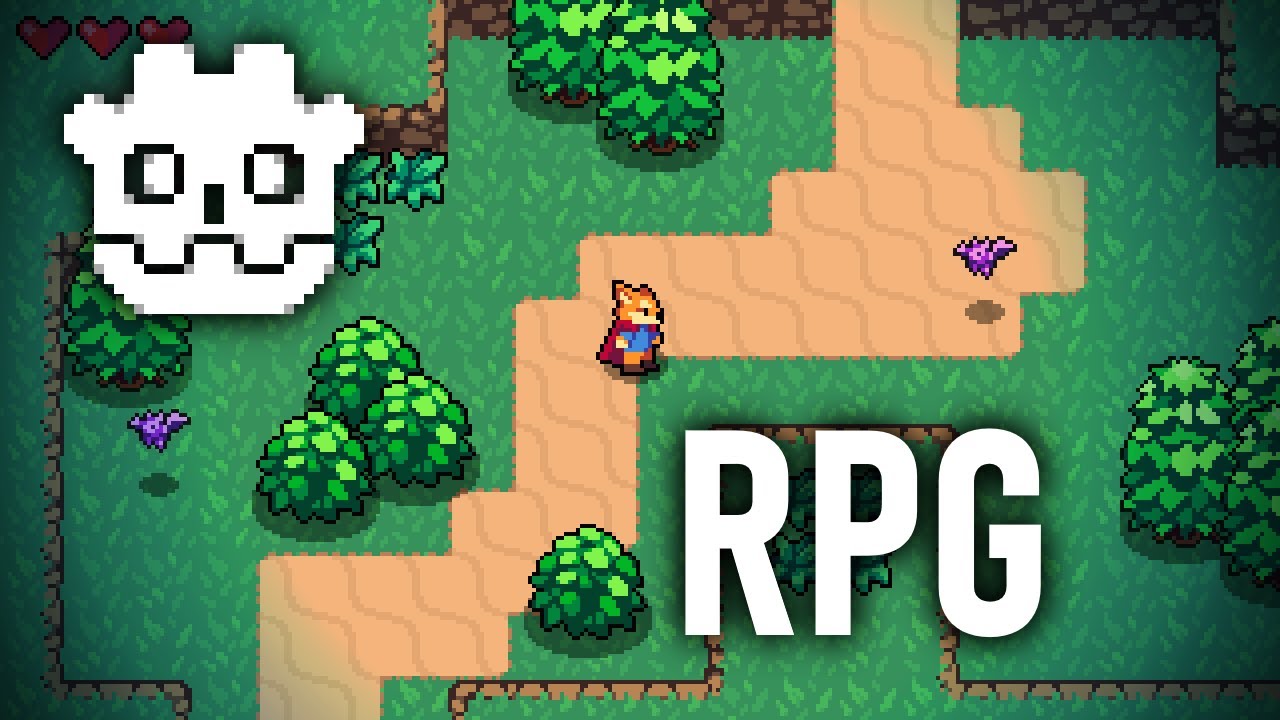
[NOTICE] I'm remaking this series for Godot 4 here: https://www.youtube.com/watch?v=l_yTe50tHVg
Learn to make an Action RPG in Godot Engine 3.2. Godot is a wonderful free and open source game engine designed for indies. It is powerful and flexible.
In this video you will learn how to set up a Godot project for pixel art and how to move an action RPG character around on the screen by getting player input.
This video was made possible by my wonderful Kickstarter backers. If you are interested in taking a deeper dive into the Godot game engine you can buy my 1-bit Godot Course at this link: https://www.heartgamedev.com/1....-bit-godot-course-yo
Download the resources for this series on Github: https://github.com/uheartbeast..../youtube-tutorials/b
The music at the end was written by my brother Caleb Anderson.
Follow me on Twitch for GameMaker livestreams: http://www.twitch.tv/uheartbeast
Twitter: https://twitter.com/uheartbeast
Facebook: https://www.facebook.com/heartgamedev
Tumblr: http://uheartbeast.tumblr.com/
Thank you all so much for your support!

Godot 4 added the compute shader functionality to the engine. Although compute shaders are quite powerful, I personally haven't found many good beginner resources on them, so I decided to make this video! It's a short guide to getting started with compute shaders in Godot, with a special focus on explaining the fundamentals, such as how to use RenderingDevice, and what work groups actually are.
Chapters:
0:00 Intro
1:14 Godot's RenderingDevice API
2:50 Running Compute Shaders
8:39 Writing a Shader in GLSL
13:22 Getting the Shader's Output
16:23 Outro
I'm experimenting with a new format of video, so I'd really appreciate any advice for how you think I could improve this style going forward. If you have any questions or suggestions, please let me know! And, thanks for watching.

I'm building an advanced AI system to drive agent behaviors in games I create in Godot. I started with Goal-Oriented Action Planning (GOAP), which is known for creating realistic NPCs, and extended it to become more flexible and easier to work with. Now I can create complex, immersive agent behaviors. Soon I'll be releasing the framework as a Godot addon, so stay tuned!
Background music: Smooth and Cool by Nico Staf
Assets: Goblin by by marianofer1996 on SketchFab and other scenery sourced from BlenderKit
Links to other projects shown:
- A simple GOAP implementation in Godot:
github.com/viniciusgerevini/godot-goap
- A nice visual demo:
reddit.com/r/godot/comments/xgrk0g/goap_goaloriented_action_planning_is_absolutely/
#gamedev #godot #ai #gameai #devlog #games

A programação é com certeza uma área vasta e que é de extrema importância para desenvolvedores de jogos dar vida aos seus jogos. Não dá para cobrir tudo que a programação possibilita em um vídeo só, então neste vídeo, você irá ver o básico da programação e as suas ideias, para dar o seu primeiro passo.
Music from #Uppbeat (free for Creators!):
https://uppbeat.io/t/ra/cold-brew
License code: JLDIVEXCQX5EBQLD
#godotengine #godot #programming #programming

Не забудь подписаться и поставить лайк!
Телеграм: https://t.me/ost_sergey
https://discord.gg/jxTp3WNZKA
Группа вк: http://vk.com/public_ostsergey
Собираю на церковь: http://www.donationalerts.ru/r/ostsergey
Я в вк: http://vk.com/mrostsergey
Использую для монтирования: Sony Vegas Pro
0:00 Вступление
0:25 Диздок
1:40 Вторичность идей
3:03 Выбор движка
3:52 Godot как самый первый движок
5:37 Спагетти-код
7:25 Механики и раннее добавление контента
9:54 Нейросетки и Godot
10:23 Аутсорс
12:42 Косячность Godot
13:45 Заключение
14:14 Про туториалы и свой проект

Mirror was an open source Godot Engine powered attempt to create an open alternative to UEFN or Roblox. Not the usage of "was", that is because Mirror Engine made the decision to dump the Godot game engine and have completely rewritten the game engine to work on top of a different open source game engine.
*Key Links*
https://gamefromscratch.com/mi....rror-v2-completely-r
-----------------------------------------------------------------------------------------------------------
*Support* : https://www.patreon.com/gamefromscratch
*GameDev News* : https://gamefromscratch.com
*GameDev Tutorials* : https://devga.me
*Discord* : https://discord.com/invite/R7tUVbD
*Twitter* : https://twitter.com/gamefromscratch
*BlueSky*: https://bsky.app/profile/gamef....romscratch.bsky.soci
-----------------------------------------------------------------------------------------------------------

I go over lessons learned from participating in 25+ jams with Godot, primarily for the Godot Wild Jam.
https://itch.io/c/3319934/game-jam-titles
This will briefly touch on scoping, designing, development, production, motivation management, and team management.

In this video, I'll show you how to setup and use the Pushdown Automaton, or State Stack Machine!
This is essentially building upon the common 'Finite State Machine' pattern, so it's recommended that you learn about Finite State Machines before watching this video.
Here's a great video by @Bitlytic that covers this topic!
https://www.youtube.com/watch?v=ow_Lum-Agbs
Hopefully this video can teach you something you didn't know before!
Thanks for watching, and I hope you have a great week! :)
Resources:
• Discord: https://discord.gg/kgWXhZjd69
• Twitch: https://www.twitch.tv/queble_game_dev (game dev streams)
• Godot Download: https://godotengine.org/
• Checkout my website: https://www.queblegames.com/ (1 on 1 Godot tutoring, blog posts, etc.)
• Game Programming Patterns book: https://gameprogrammingpatterns.com/ (read online for free)
Timestamps:
0:00 Intro
0:38 Example showcase
1:51 Why use a State Stack Machine?
3:19 Looking at the code
7:59 How to add a new state
10:21 Testing the new state
10:44 Credits, members shoutout, outro, thanks for watching! :)
This video was recorded in Godot v.4.4.1 stable

Welcome to the second episode of our action/adventure game series! This is a beginner friendly series that will teach you the how to create your very own games by creating a 3D game inspired by The Legend of Zelda: Ocarina of Time!
In this episode we go over the syntax and basic rules of code by dissecting the player script we created last episode. This will give us a solid foundation we can use to move more quickly in the next set of episodes and see more of our Zelda-like game come to life!
Ready to try this for yourself? Check out the companion page on our website: https://playableworkshop.com/a....ction-adventure-seri
Like what we're doing? Support us! https://www.patreon.com/playableworkshop
Godot Engine: https://godotengine.org
Join our Discord: https://discord.gg/ZYtU7hhZW9
Support us on Patreon: https://www.patreon.com/playableworkshop
Jack's Channel: @JackSather
Nick's Website: https://nick-glenn.com
0:00 Intro
1:29 Comments
2:35 Debugging: Not if, but when
5:41 Syntax Highlighting
6:55 Keywords
7:29 A grammar-based approach to learning code
7:38 Literal expressions
8:16 Classes
8:54 How classes extend each other
10:54 How we store information in our game
12:44 Variables
13:35 Properties
15:03 Constants
15:14 Functions
16:26 Overriding Node's _ready function
17:22 The pass statement
17:33 Function calls
18:10 Lookup Expressions
18:17 Printing to the console
19:19 Returning values from our functions
23:51 Passing values to our functions
26:04 Getting back to rebuilding our script
27:04 _process() and _physics_process()
30:16 if Statements
30:39 Logical not Expressions
32:03 Assignment Statements
32:41 Additive Assignments (and other operators)
33:43 Our next if statement: Jumping
34:56 Binary expressions and logical and
36:12 Selector expressions
36:37 Getting the player's movement input
36:47 Talking about vectors for a moment
37:54 Integrating player input to move the character
39:21 Else statements
40:19 The move_toward function
41:05 Outro

¡Bienvenidos a mi canal de desarrollo de videojuegos! En este emocionante episodio, les mostraré cómo comencé mi viaje en el mundo del desarrollo de videojuegos utilizando la poderosa herramienta de código abierto: Godot Engine.
Acompáñenme mientras les guío a través de mi proceso inicial de aprendizaje con Godot, desde la instalación y configuración inicial hasta la creación de mi primer proyecto de juego. Descubriremos juntos las características clave de Godot que lo convierten en una opción increíble para desarrolladores de todos los niveles de experiencia.
Exploraremos cómo Godot simplifica el desarrollo de videojuegos con su intuitivo editor visual y su flexible lenguaje de programación, permitiéndonos dar vida a nuestras ideas de manera rápida y eficiente.
Además, compartiré algunos consejos y trucos que he aprendido en mi viaje personal con Godot, así como recursos útiles para aquellos que están dando sus primeros pasos en el desarrollo de videojuegos.
¡Prepárense para inspirarse y motivarse mientras descubrimos juntos el apasionante mundo de la creación de videojuegos con Godot Engine!
No olviden suscribirse para más contenido de desarrollo de videojuegos y dejar sus comentarios y preguntas para que podamos seguir explorando juntos. ¡Nos vemos en el siguiente episodio!

In this episode of "Remaking Super Mario World in Godot", I'm expanding Mario's moveset by making him swim and fly - and exploring the details of how Super Mario World handles water and cape physics. It's been tough to get everything just right, but as always, there are lots of fun facts I learned along the way!
Chapters:
00:00 Intro
00:54 Water Physics
10:38 The Cape
20:27 Outro
Music:
Super Mario World: Overworld [Lo-Fi REMIX]: https://www.youtube.com/watch?v=dOV5C5vqtDc
Super Mario World - Water Theme Remix by @TheRedCrystal
Super Mario World - Ground Theme (Lofi Lia Remix): https://www.youtube.com/watch?v=eUGqNORTAIs
See also:
The Super Mario World Physics Modifier Patch by Thomas: https://smwc.me/s/14894
tjb's cape doc: https://docs.google.com/docume....nt/d/1n2mpNy7sDZLTh0
The video I showed by Flips_Bad about tongueless yoshi flight (not even sure what that means): https://www.youtube.com/watch?v=BW5JXJHn8tw
The video I showed by tjb about cape turnaround: https://www.youtube.com/watch?v=wA2MYRd3U2Y
My video about making the Super Mario World font: https://www.youtube.com/watch?v=V7oGZcy2vxo
Banduck, who is also making Super Mario World in Godot and is way further along: https://www.youtube.com/@Banduck
My latest SMW ROM hack, A Plumber For All Seasons: https://www.youtube.com/watch?v=dQpI9N6TzpM
"5" in the thumbnail from the SMW logo font by BMatSantos on MFGG (slightly edited by me)
https://www.eric-kaiser.net
https://ko-fi.com/wye951

I Made Kirby Air Ride in Godot!
We're FINALLY getting a sequel to Kirby Air Ride on Nintendo Switch 2, and I've been wanting to learn more about Godot, so I decided to try and replicate Kirby Air Ride's basic movement system within it! This was a super fun project to learn Godot with, and I hope you enjoy the (air) ride along ;)
_____________________________________________________
📱Socials📱
Itch.io: https://jettlee.itch.io/
Bio.link: https://bio.link/jett
_____________________________________________________
Godot Plush Model Made By: https://github.com/gtibo
#Godot #Devlog #Kirby

In this video, I'll go over the basics of multi-threading in Godot!
Threads are super helpful for for when you want to offload intensive tasks to other CPU cores. This helps by increasing your game's performance, reducing/eliminating stutters, and also speeding up your loading times!
We'll also go over some commons issues that you may run into when working with threads (race conditions, deadlocks, etc.), and how to avoid them with Mutexes and Semaphores!
Hopefully this video can teach you something you didn't know before!
Also apologies - my voice is a bit more raspy as I had been talking all day and was struggling by the end of this recording 😭
Thanks for watching, and I hope you have a great week! :)
Resources:
• Discord: https://discord.gg/kgWXhZjd69
• Twitch: https://www.twitch.tv/queble_game_dev (game dev streams)
• Godot Download: https://godotengine.org/
Amazing video by Cashew OldDew here: https://www.youtube.com/watch?v=ox5jp_ySFlg
Great video by @bitbirdy that goes more in depth on Semaphores: https://www.youtube.com/watch?v=4XmtZMvyHZE
Official Docs:
• https://docs.godotengine.org/e....n/latest/tutorials/p
• https://docs.godotengine.org/e....n/latest/tutorials/p
I offer 1 on 1 Godot Tutoring through my website, and also on Fiverr:
• https://www.queblegames.com/
• https://www.fiverr.com/s/o8Wq7AG
Timestamps:
0:00 Intro / what is a Thread?
0:44 Basics of making a Thread
3:40 What's a Mutex / how to use it!
8:23 Basics of using Semaphores
12:00 ⚠ Important notes / common questions ⚠
14:23 Outro, thanks for watching! :)
This video was recorded in Godot v.4.4.1 stable

Godot now has a major new platinum level sponsor... JetBrains! JetBrains make a variety of developer tools (and programming languages), but perhaps most appropriate to game developers is the excellent Rider IDE.
*Key Links*
https://gamefromscratch.com/je....tbrains-sponsors-god
-----------------------------------------------------------------------------------------------------------
*Support* : https://www.patreon.com/gamefromscratch
*GameDev News* : https://gamefromscratch.com
*GameDev Tutorials* : https://devga.me
*Discord* : https://discord.com/invite/R7tUVbD
*Twitter* : https://twitter.com/gamefromscratch
*BlueSky*: https://bsky.app/profile/gamef....romscratch.bsky.soci
-----------------------------------------------------------------------------------------------------------
